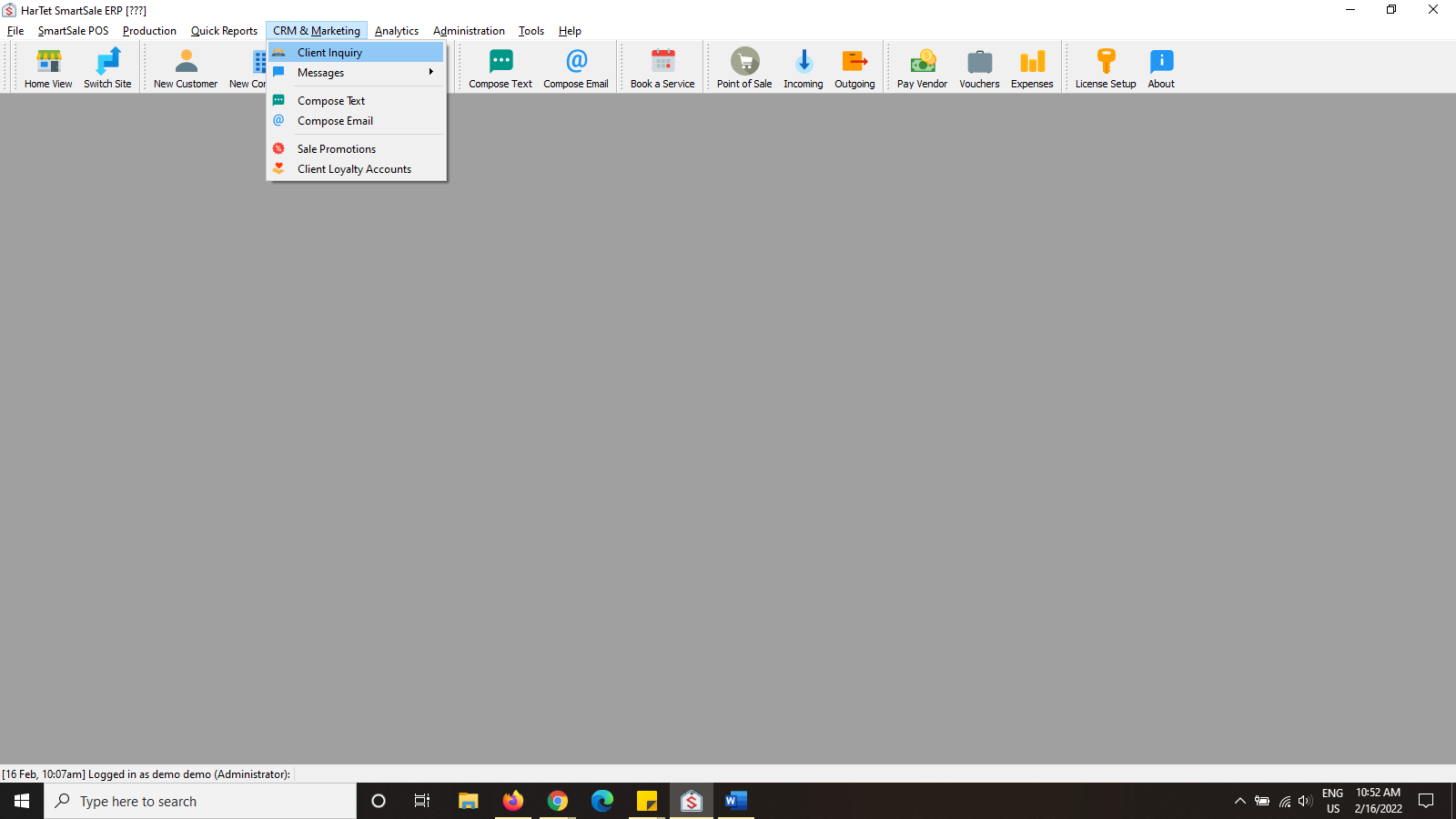
- In the SmartSale window, click on CRM & MARKETING and then click on CLIENT INQUIRY.
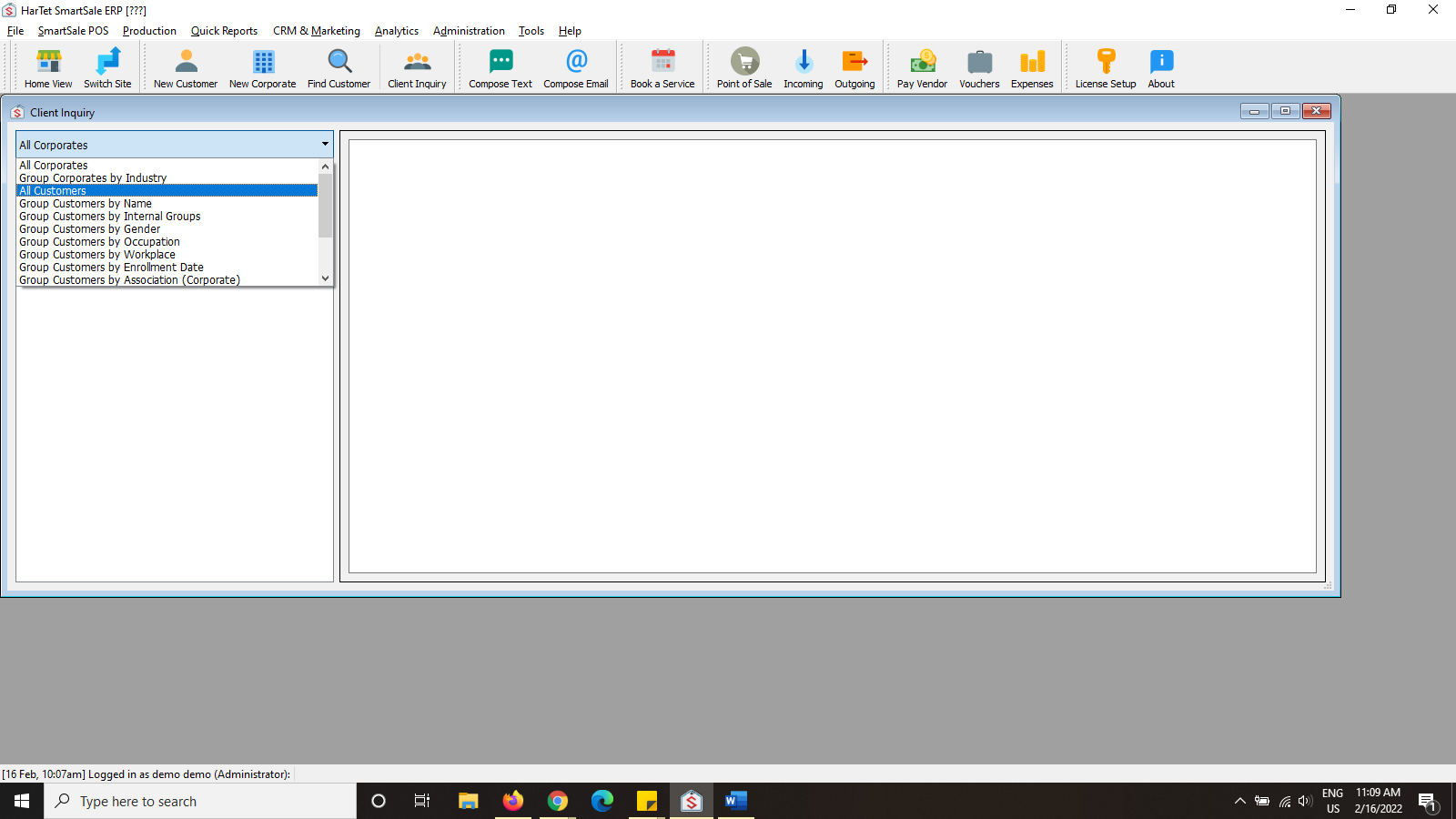
- Click on the first drop-down menu in the left column, select ALL CUSTOMERS.
- Click on the second drop down menu (Select report type) and choose Profile summary.
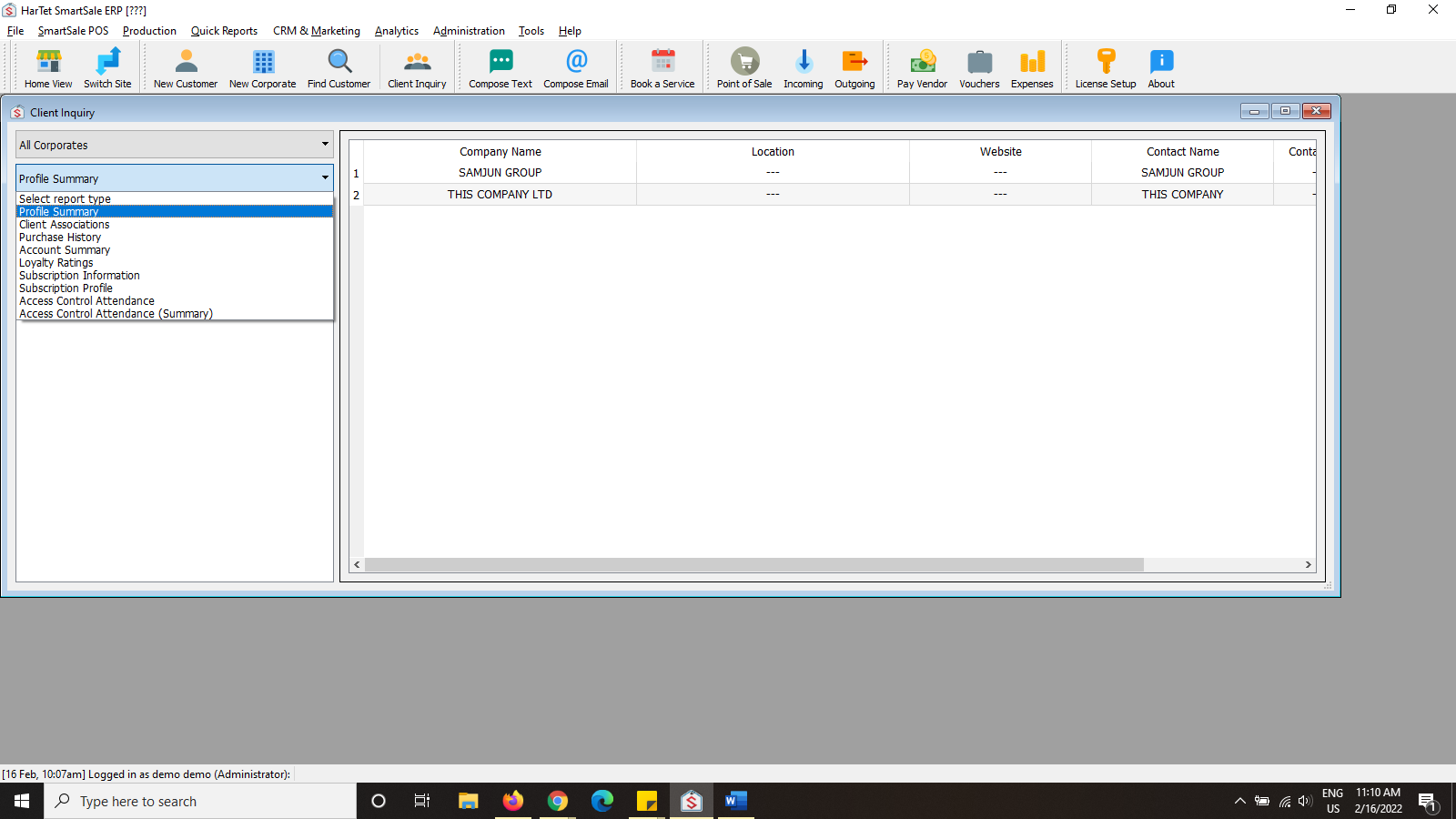
- Click on All Customers below the select report type drop down menu to generate the report.

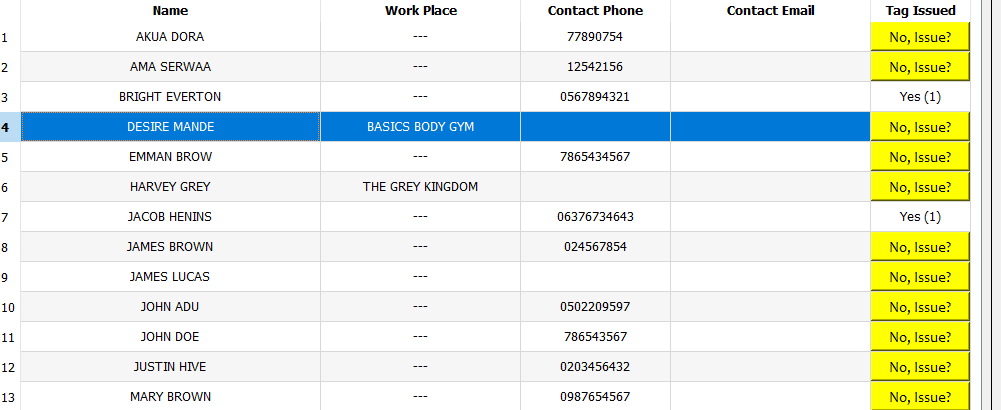
5. A list of your customers is generated with their names, emails, phone numbers, etc