
- Click on NEW CUSTOMER button by the HOME VIEW to open the window to add the details of the customer.
- In the NEW CUSTOMER window, add the details of the customer.
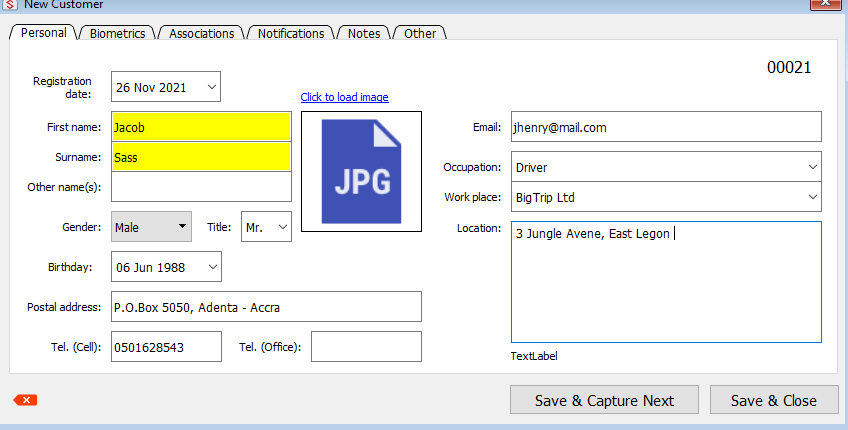
- Once all the required and necessary videos have been added, click on the Save & Close button to complete and save the customer information.