
- In the search bar to search for customers by name, enter the full phone number of the customer you are searching for.
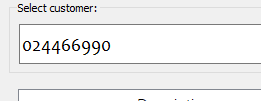
- Press the enter key to search for the phone number. If the number entered is associated with a customer, the full name of the customer will appear as shown below.

PLEASE NOTE: The client needs to be registered in order to use this feature. However, the phone number that is going to be used for the search should be the same phone number registered to the client.